Hello A.,
Awaiting full newline management, see:
As state support currently only one-line description, we can pass through intermediate variables like:
State1 --> State2
State2 --> State3

!state1 = {
   "Id":"7123871823",
   "status":"REQUESTED"
}

!state2 = {
   "Id":"7123871823",
   "status":"SUCCESSFUL"
}

!state3 = {
   "Id":"7123871823",
   "status":"FAILED"
}

State1: state1
State2: state2
State3: state3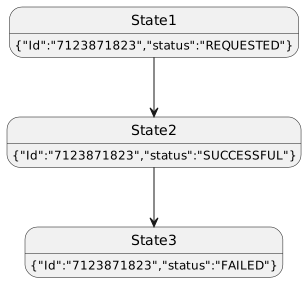
Or even add a procedure to produce more complex display, with a JSON sub-diagram like:
State1 --> State2
State2 --> State3

!state1 = {
   "Id":"7123871823",
   "status":"REQUESTED"
}

!state2 = {
   "Id":"7123871823",
   "status":"SUCCESSFUL"
}

!state3 = {
   "Id":"7123871823",
   "status":"FAILED"
}

!procedure json_subdiag($var)
{{json%n()<style>%n()document {BackGroundColor transparent}%n()</style>%n()$var%n()}}
!end procedure

State1: json_subdiag(state1)
State2: json_subdiag(state2)
State3: json_subdiag(state3)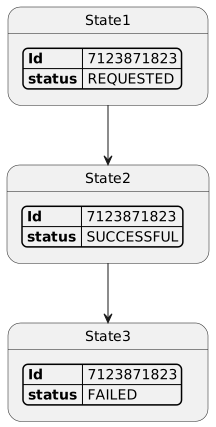
If that can help,
Enjoy,
Regards,
Th.












